Plus plan · $149/mo · Most popular

Sell on every hole. Run the whole crew.

A QR sticker on every golf cart and a beverage cart screen on the driver's phone. A staff app with schedules, phone clock-in and payroll files. Reports that show what sells.

$149/month · or $1490/year (two months free)
No card needed for the trial. Cancel with one click.
Beverage cart screen on a phone with orders, the hole and a Directions link
Orders from every cartStickers on the carts; the ticket says Cart 12, near hole 6
A beverage cart that knows who orderedDriver's phone shows the order, the hole and the golfer's last location
The whole staff in one placeSchedules, phone clock-in, time clock and payroll files
Beverage cart screen

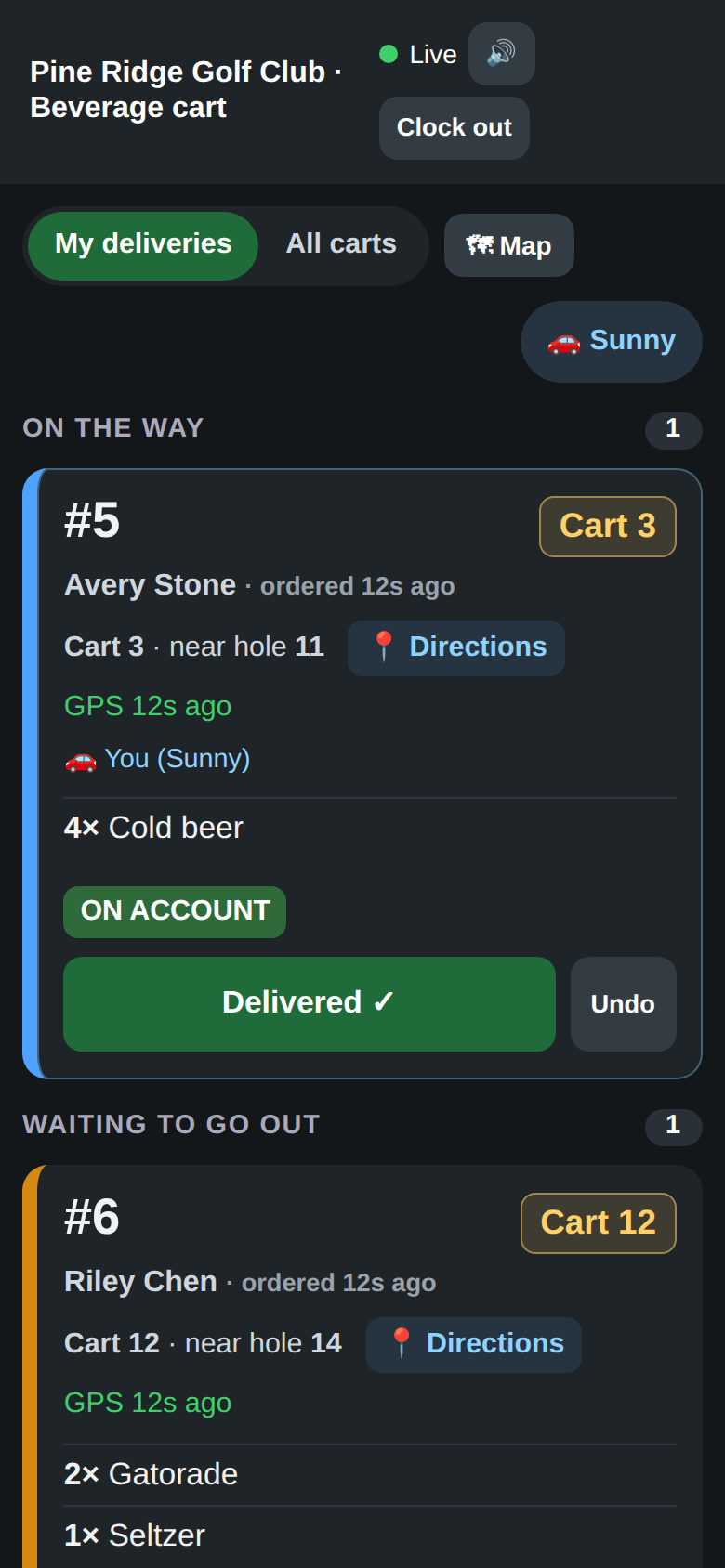
The driver sees every order and where to go

Drivers open the course's cart page on their phone, clock in with a PIN and pick which cart they're driving. Most carts carry a phone, not a tablet, so it's built for one hand and cell service.

  • Live list of cart orders with the golf cart, hole and last known location
  • The cart's own menu shows to golfers only while a driver is on duty
  • Take it → heading out → Delivered, with Undo
  • New orders beep and vibrate the phone
Beverage cart screen listing orders with the hole, last location and Delivered buttons
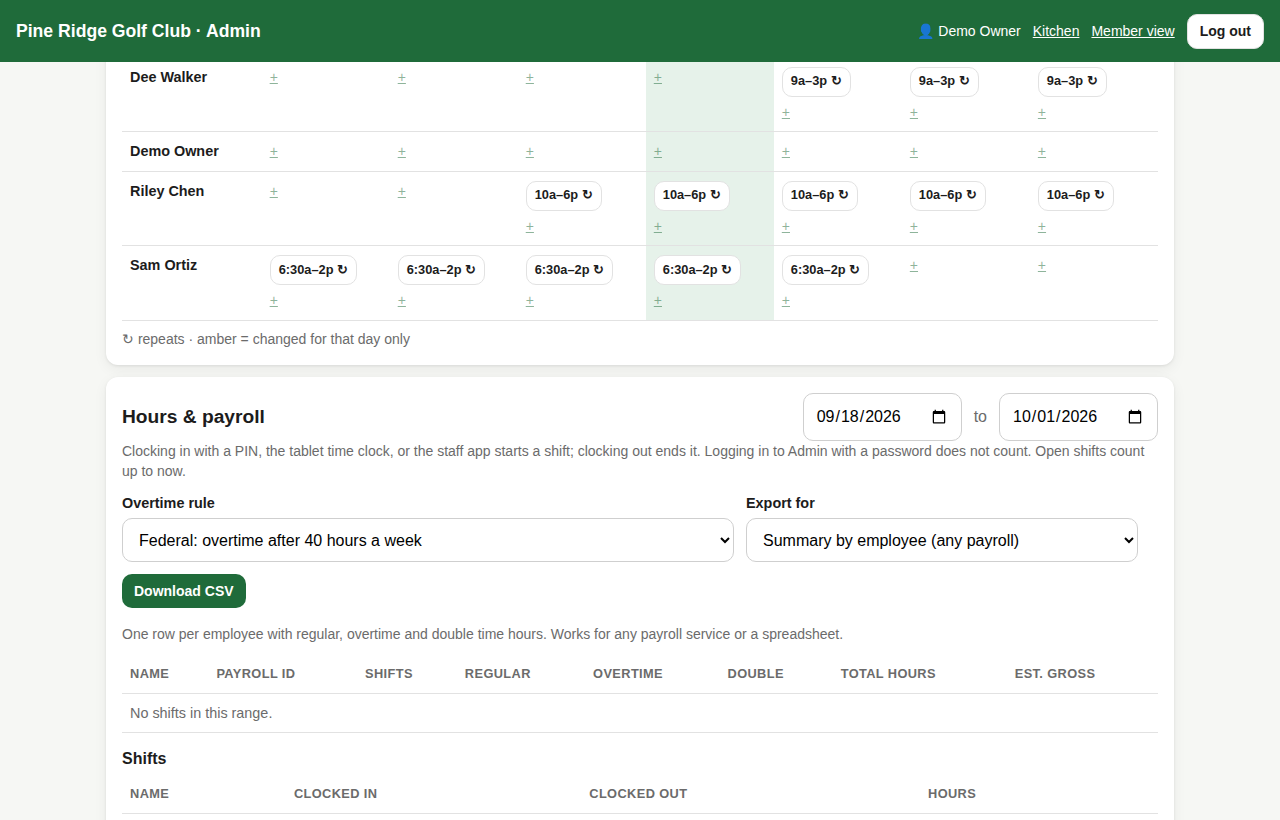
Admin staff page with a weekly schedule grid
Staff app

Schedules, clock-in and hours on their own phone

Staff save the course's page to their home screen. They see upcoming shifts, clock in when they're at the course, and watch their hours add up.

  • Build the schedule once and repeat it weekly or every few weeks
  • Phone clock-in only works within your distance of the clubhouse (you set it, or turn it off)
  • Time clock on the kitchen tablet: any PIN clocks in or out
  • Payroll export for Gusto, ADP RUN, QuickBooks or Paychex, overtime worked out by your state's rule
Golf cart stickers

A menu in every cart

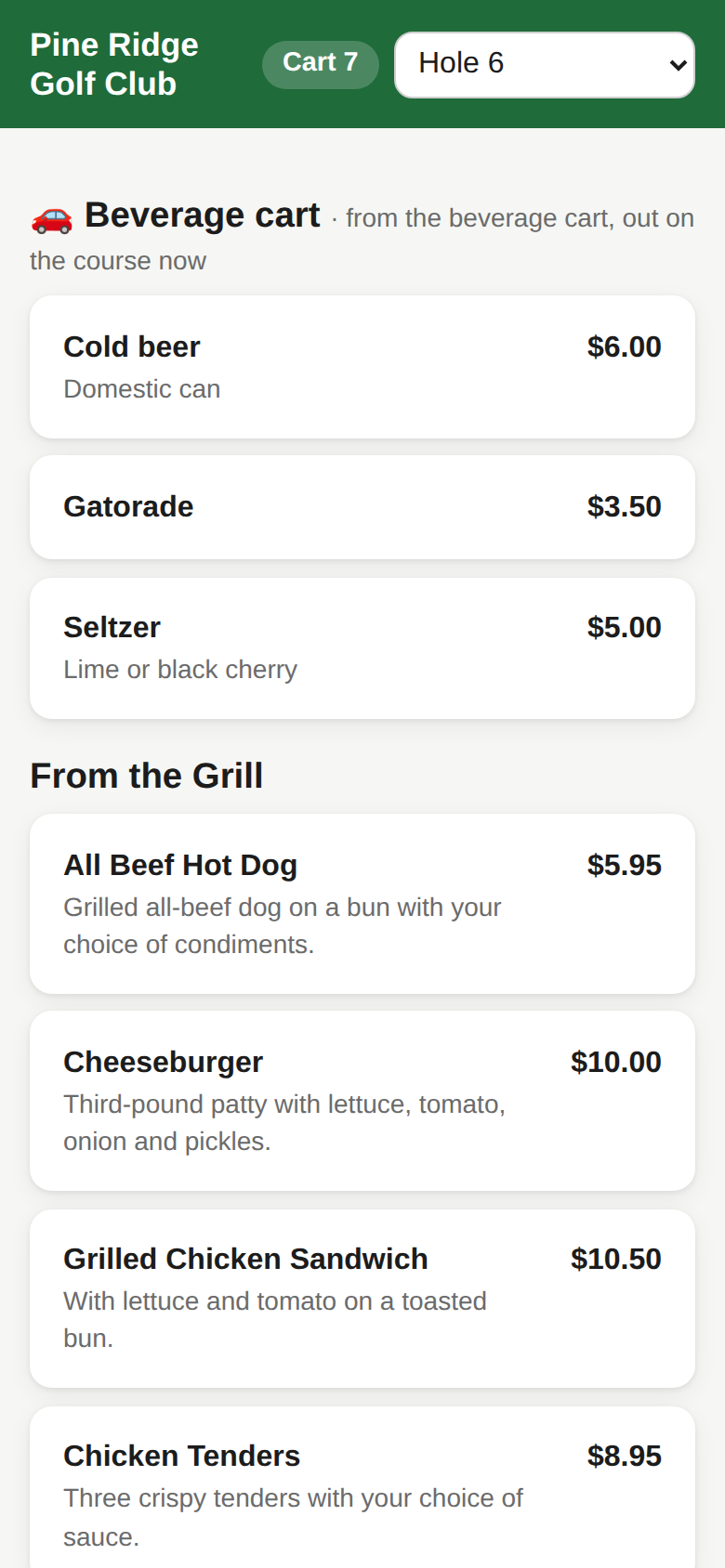
Scan the sticker and the menu opens with the cart already filled in. The golfer just picks the hole they're near.

  • One printable sticker per cart, named however you like
  • Beverage cart items ride out on the cart; kitchen food is picked up at the window
  • Golfers can update the hole they're near from their phone
  • Print one sign per hole too
Ordering page with a Beverage cart section at the top
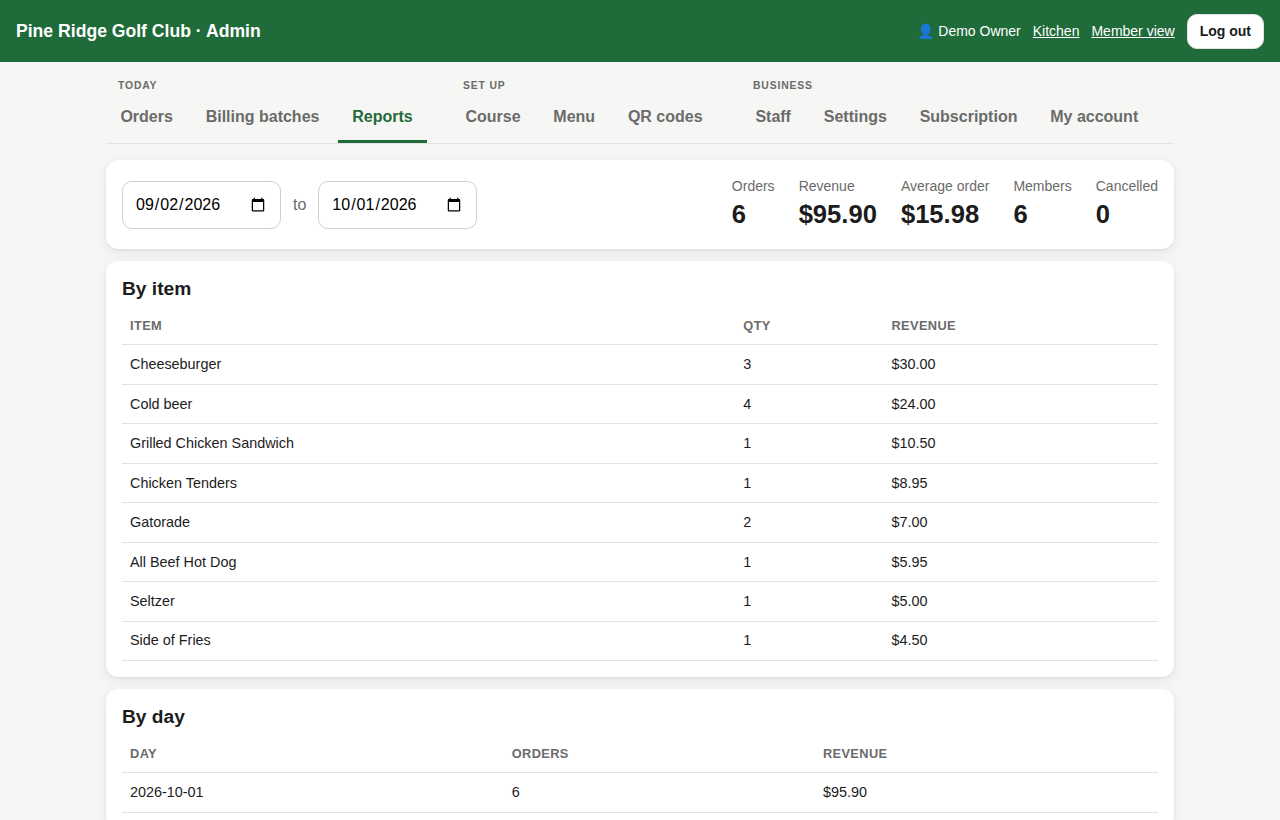
Sales reports page in Admin
Reports and hours

Know what sells, and when

Totals, orders by payment type, by item, by day, by hour, by member, for any date range.

  • Scheduled hours: outside them the menu shows a closed message
  • Multiple pickup points: turn window, clubhouse bar, cart
  • Your logo and brand color on the golfer's screen
  • Text alerts when the order is ready coming soon

Everything in Plus plan

Every feature below is included. Highlighted items come with the plans below it.

Everything in Kitchen

QR ordering, kitchen alarm, member billing, roles and PINs, basic hours.

Golf cart QR stickers

One sticker per cart; ticket shows Cart 12 · near hole 6.

Beverage cart screen

Driver's phone: orders, hole, last location, Delivered.

Beverage cart menu

A section golfers see only while a cart is on duty; the cart brings it.

Golfer "Where are you now?"

Golfers update the hole they're near after ordering.

Staff app

Schedule, hours and clock-in on their own phone, inside your course fence. Printable QR to hand out.

Time clock on the tablet

Any PIN clocks in or out without changing the screen.

Staff schedule

Weekly grid with repeats and per-day edits.

Payroll export

Regular, overtime and double time. Files for Gusto, ADP RUN, QuickBooks, Paychex.

Multiple pickup points

Each item made at one point; each screen filters to its own.

Scheduled hours

Per-day open and close times with a closed message.

Sales reports

By item, day, hour, payment type and member.

Logo and brand color

The ordering page looks like your club.

Text alerts coming soon

"Text me when it's ready." 500 a month will be included; the course's own Twilio number.

Want golfers to pay by card with a tip, GPS pins for the cart, or sponsor ads on your menu? See the Pro plan → · Just need the kitchen? See Kitchen →
Questions

Do drivers need an app?

No. The cart page opens in the phone's browser and can be saved to the home screen like an app. Any recent iPhone or Android works.

How does phone clock-in know they're at the course?

The phone shares its position once when they tap Clock in. We allow it within the distance you set from the clubhouse (400 meters by default) plus the phone's own GPS accuracy. You can turn the check off.

Can we use cart stickers without a beverage cart?

Yes. Stickers work on their own; golfers pick up at the window. Turn the beverage cart on whenever you're ready.

When do text alerts arrive?

Soon. The feature is built and waiting on carrier approval of our texting account. Plus courses will get 500 texts a month included.

Try Plus plan free for 30 days

Type your menu or upload a spreadsheet, print the codes, add staff. Most courses are live in about 30 minutes.

Start free trialBook a call