Kitchen plan · $99/mo

Never miss an order at the turn.

Golfers scan a code and order from their phone. Your kitchen tablet flashes and beeps until someone taps Confirm. Every charge lands on the member's account.

$99/month · or $990/year (two months free)
No card needed for the trial. Cancel with one click.
Kitchen tablet screen with new, in progress and ready orders
Zero missed ordersThe tablet flashes red and beeps every 3 seconds until Confirm
Every charge on the accountA daily billing file for member statements, emailed to accounting
Live in 30 minutesNo app for golfers, no new hardware for you
Ordering

Scan. Order. Done.

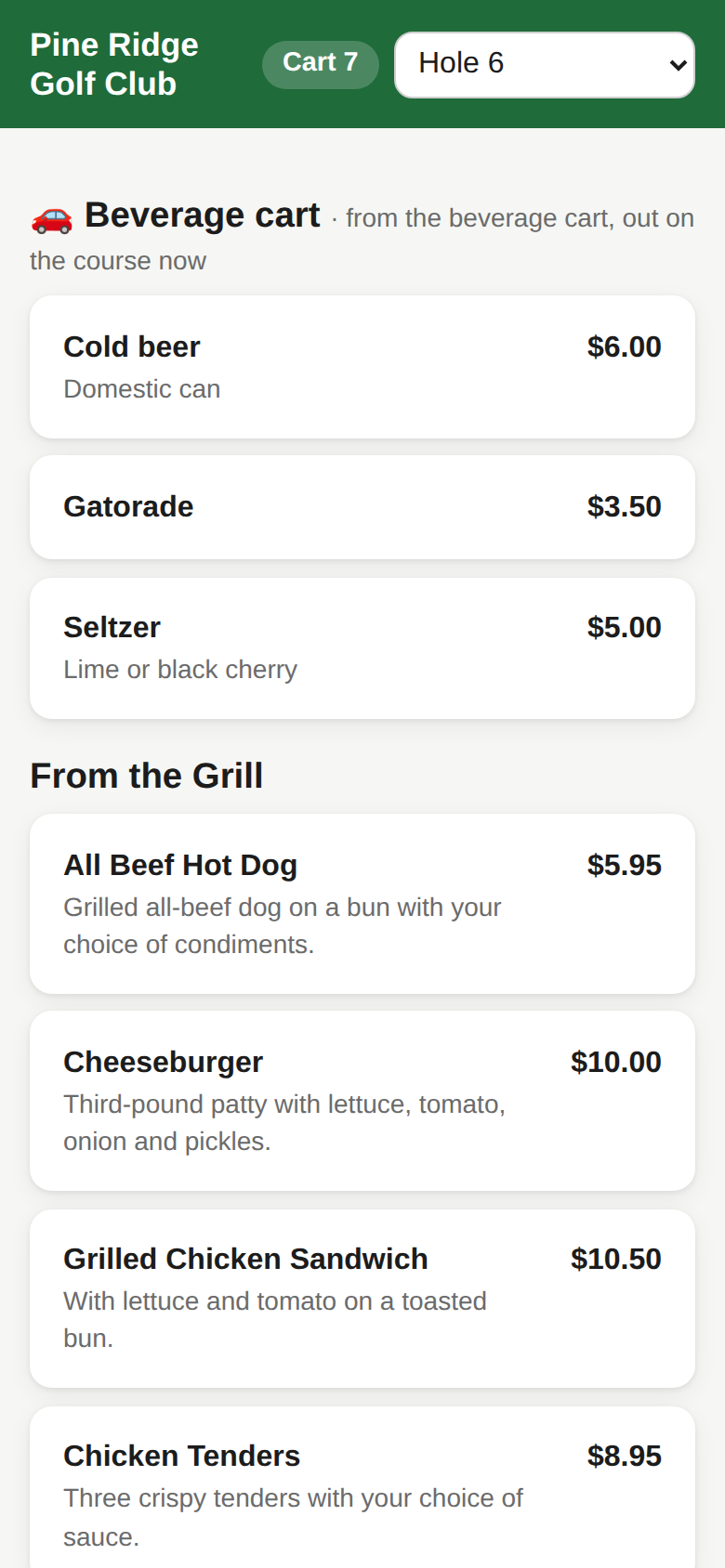
One laminated code per spot you choose: the 4th tee, the turn, the 13th. The menu opens in the golfer's browser.

  • Modifiers, special requests and quantities
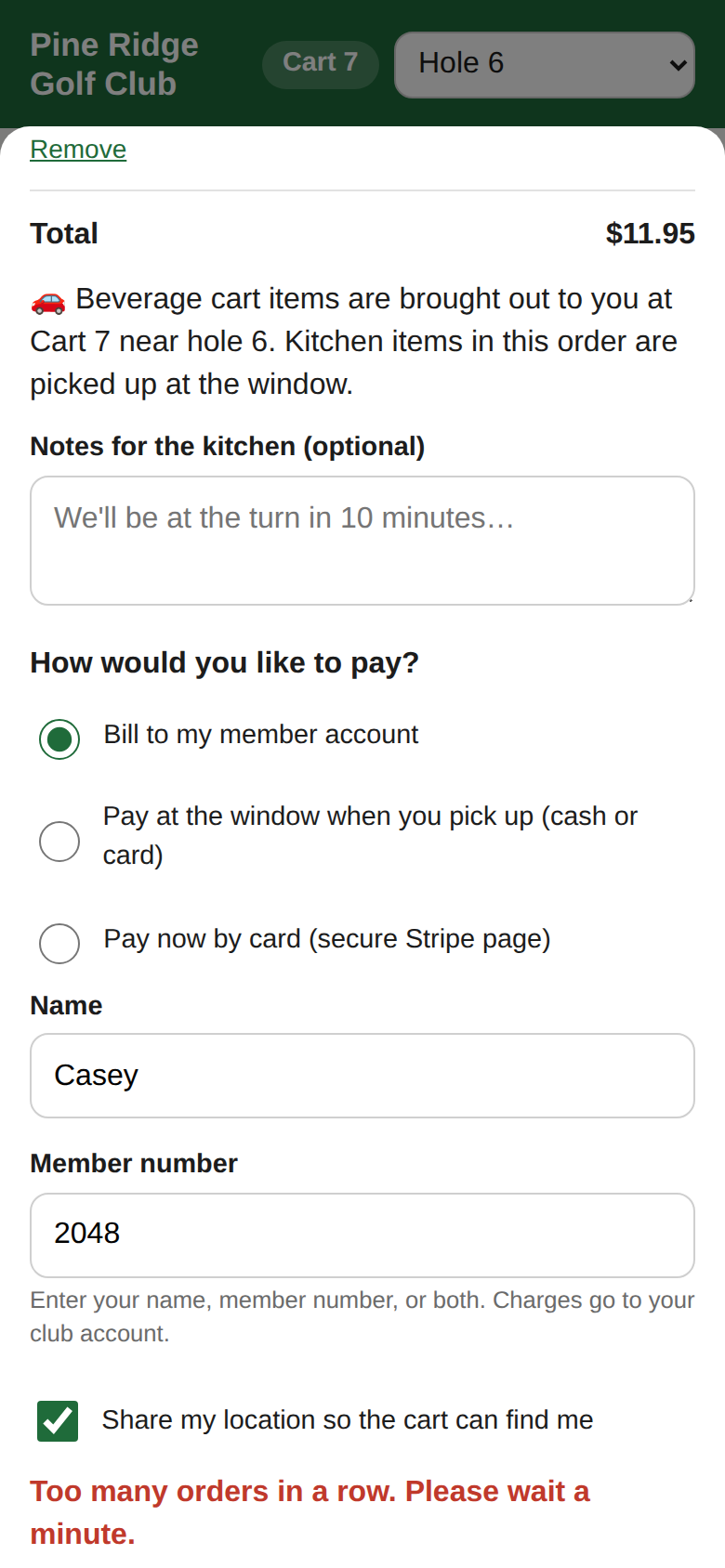
  • Bill to the member account or pay at the window
  • Members see Sent, Being made, Ready, Picked up
  • Photos on items if you want them
Ordering page on a phone with menu sections and prices
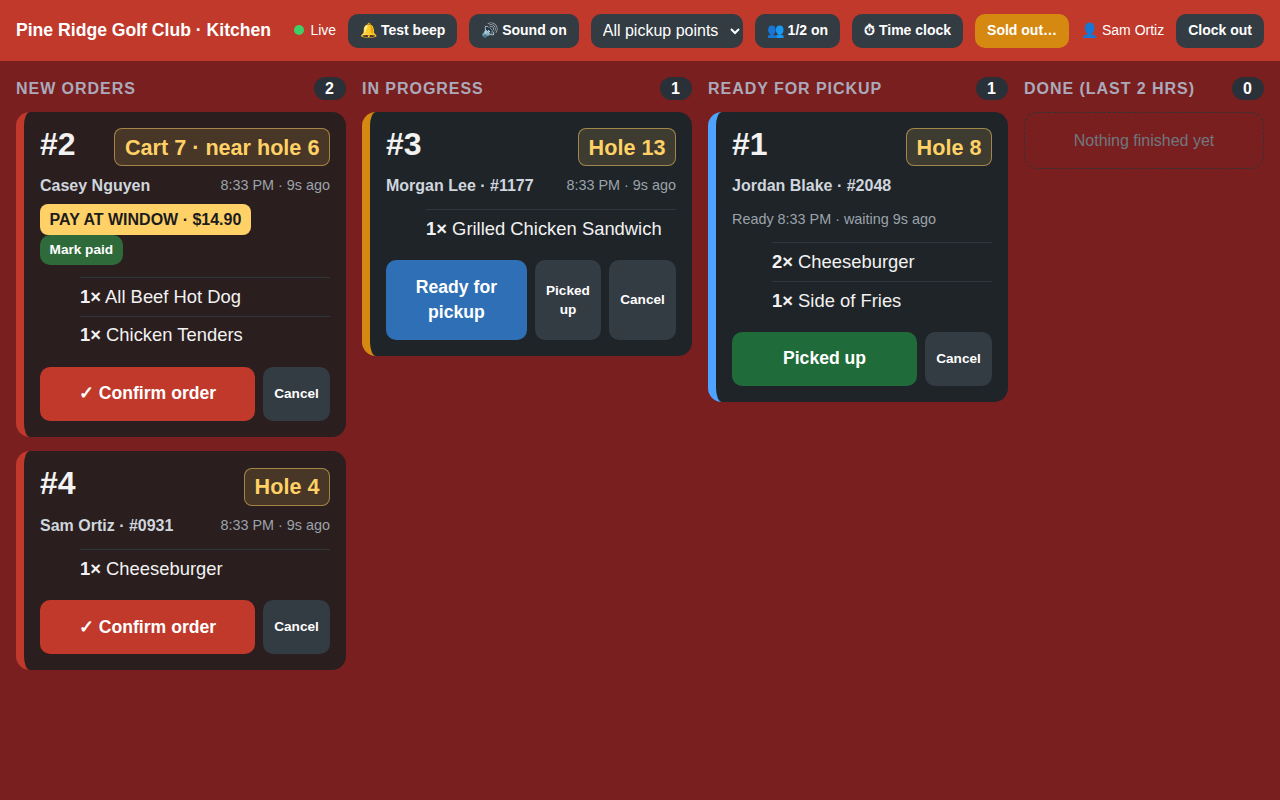
Kitchen tablet showing tickets with Confirm, Ready and Picked up buttons
Kitchen screen

A kitchen screen that won't let an order slip

Any tablet with a browser. Add it to the home screen and it opens like an app named after your course.

  • Flashes and beeps until someone taps Confirm
  • New → In progress → Ready → Picked up, with Undo
  • Sold out? One tap hides the item from phones
  • Reconnects on its own if the Wi-Fi drops
Staff

PINs for the tablet, roles for the office

Each person gets a PIN to clock in on the kitchen tablet. Roles say what they can change; managers log in to Admin with email and password.

  • Admin, Manager or Staff roles; Kitchen, Beverage cart or Pro shop jobs
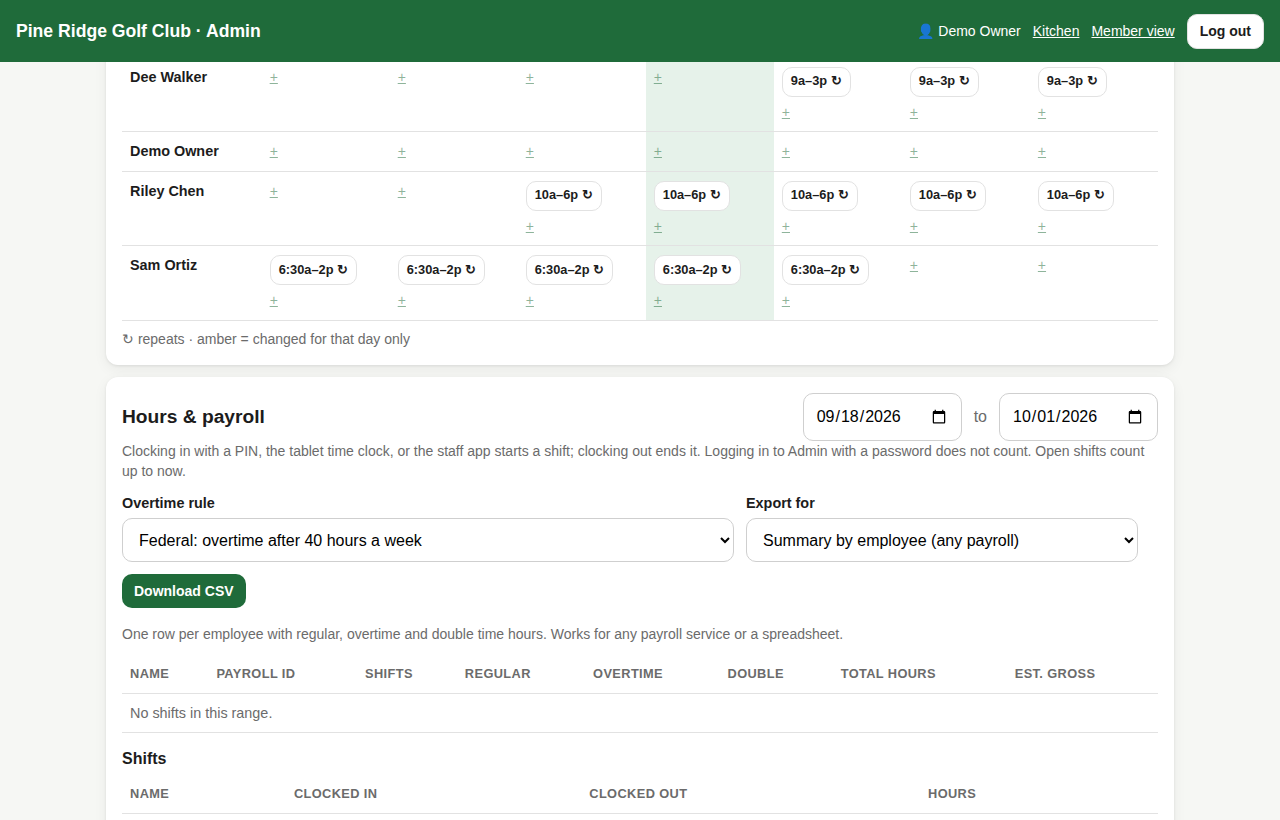
  • Clock in and out with a PIN; hours by person with a CSV
  • Forgot password? Reset by email in a minute
  • Want schedules, a staff app and payroll files? That's Plus
Admin staff page listing people, roles and jobs
Order confirmation page on a phone showing the order status track
Billing

Accounting gets one file a day

Every order billed to an account is bundled into a dated batch. No retyping charges.

  • Summary by member and detail by order, as CSV
  • Create the batch automatically at a set time and email it
  • Public courses turn on Pay at the window instead
  • Order history with every action for disputes

Everything in Kitchen plan

Every feature below is included on the $99 plan.

QR ordering with modifiers

One code per spot. Modifier groups, notes, quantities. No app.

Bill to member account

Name or member number; nothing collected in the app.

Pay at the window

Ticket says PAY AT WINDOW with the total; tap Mark paid.

Kitchen tablet with alarm

Flashes and beeps every 3 seconds until Confirm.

Order queue

New, In progress, Ready, Done with Undo.

Sold out from the kitchen

One tap hides an item, one tap brings it back.

Daily billing batch

CSV by member and by order; optional auto-create and email.

Roles, jobs and PINs

Admin, Manager or Staff; Kitchen, Beverage cart or Pro shop.

Basic hours

PIN clock-in and clock-out; hours by person and date range, CSV.

Password reset by email

Managers reset their own password from a link; a notice on every change.

Order history

Every order by date and status, with actions.

Two entry doors

Kitchen clock-in and course management kept separate.

Backups and status page

Nightly backups kept 30 days; live status page.

Pause for the off season

$10 a month keeps everything until spring.

Want QR stickers on every golf cart, a beverage cart screen, or the staff app with schedules and payroll? See the Plus plan →
Questions

What do we need to buy?

Nothing. A tablet with a browser for the kitchen and a laminated sign. Keep your POS and tee sheet.

How do members get charged?

They enter their name or member number. You get a daily spreadsheet of charges for member statements, by email or download.

How long does setup take?

About 30 minutes. Type your menu or upload a spreadsheet, print the code, add staff. A checklist walks you through it.

Try Kitchen plan free for 30 days

Type your menu or upload a spreadsheet, print the codes, add staff. Most courses are live in about 30 minutes.

Start free trialBook a call